PCB assembly and testing

27 posts ยท Assembly instructions for the IN-14/19 nixie thermometer

The exact order of assembly will depend on the preference of the builder but convention is to fit the resistors/diodes first followed by capacitors, transistors and ICs in that order.
After preparing a suitable working space take the PCB and the 2m2 (red red green) or 680K (Blue Grey Yellow) resistors. Fit these in locations marked for R3,4,5,8,9,20,21,23,24 and 26 as shown:

Image

Fit the 1K2 or 1K resistors in locations marked for R6,7,17,19,22,29 as shown:

Image

Fit the 100R or 91R resistors in locations marked for R10,14,18,27 as shown:
:

Image

Fit the 5k6 resistors in locations marked for R1,12,13 as shown:

Image

Fit the 470R resistors in locations marked for R2 and 25 as shown:

Image

Fit the 270K resistor in the location marked R16 as shown:

Image

Fit the 22K resistor in the location marked R15 as shown, watch out as the board is starting to get crowded:

Image

Fit the 1N4148 diodes in locations marked for D8,9,10,11,12,13,14 and 15 as shown: NOTE the band marked on the end of the diode body must face the same way as shown in the photograph, this is also indicated on the PC with a thick white band.

Image

Fit the brown 10n or 33n ceramic capacitors in locations marked for C2,4 and 5 as shown:

Image

Fit the red or yellow plastic .22u (220n or 223) capacitors in locations marked for C9,10,11,12 and 13 as shown:

Image

Assembling the nixie tube sockets:
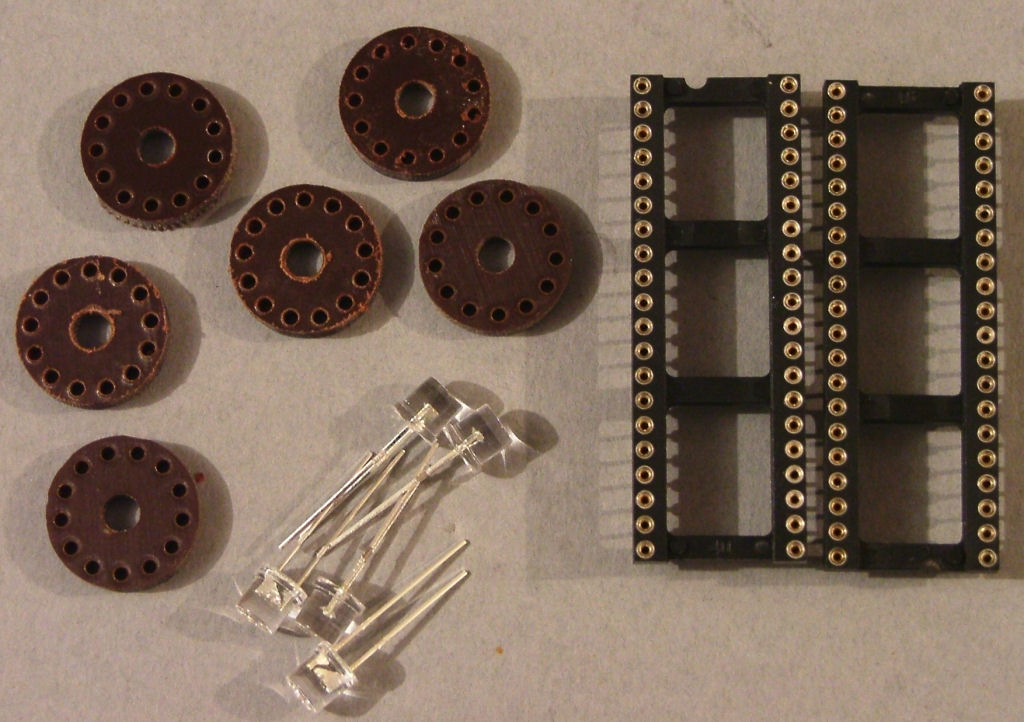
Using wirecutters or pliers carefully break the turned pin sockets out of the plastc housing:
Push the pins into the holder:
Once made, drop them into the V1-5 positions on the PCB and solder them in place.
Now fit the LEDs through the centre hole so they sit on top of the socket. NOTE that these are polarised and must be fitted the right way round.
The SHORT PIN faces to the LEFT of the PCB when viewed from the front.
D17 is no longer used.

ImageImageImage

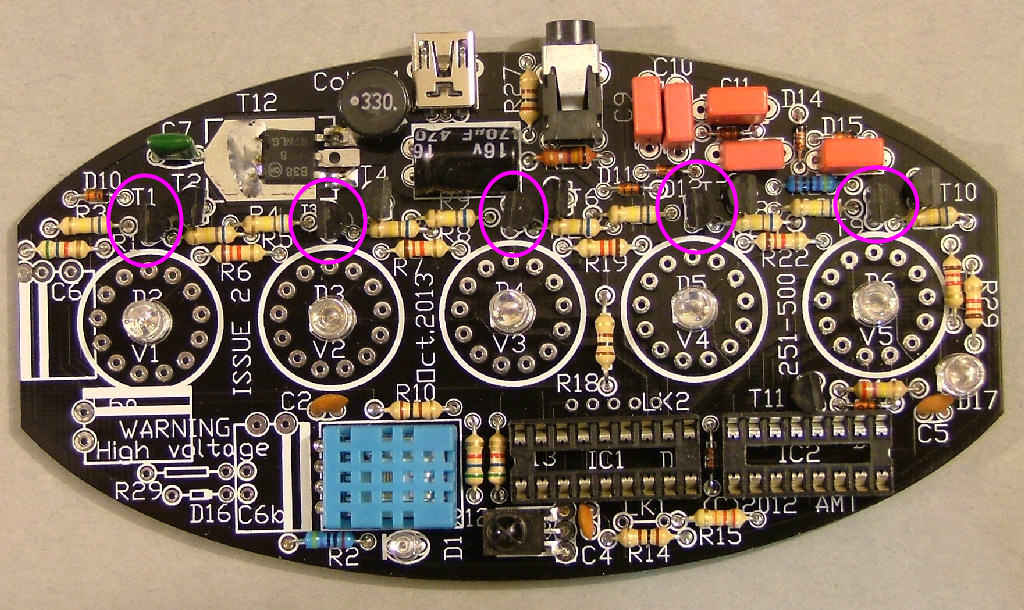
Fit the black plastic transistors marked 'MPSA92' in locations marked for T1,3,5,7 and 9 as shown: NOTE these are polarised and must be fitted the right way round. There is a flat mark on one side of the body, this flat side faces to the LEFT of the PCB when viewed as shown in the photograph.
The may also be marked 'KSP92' or just 'A92'

Image

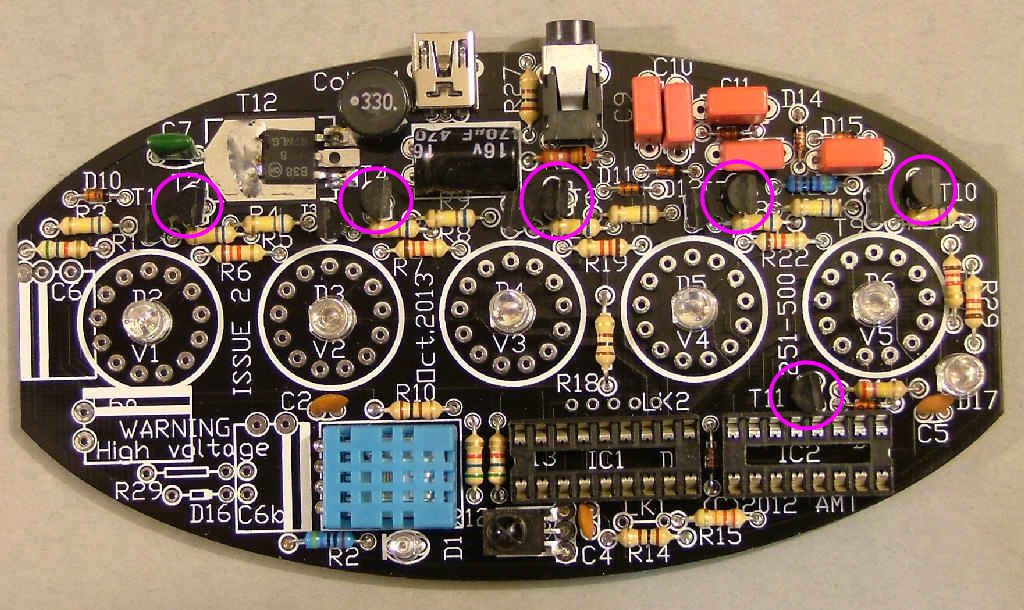
Fit the black plastic transistors marked 'MPSA42' in locations marked for T2,4,6,8,10 and 11 as shown: NOTE these are polarised and must be fitted the right way round. There is a flat mark on one side of the body, this flat side faces to the RIGHT of the PCB when viewed as shown in the photograph.
They may also be marked 'KSP42' or just 'A42'.

Image

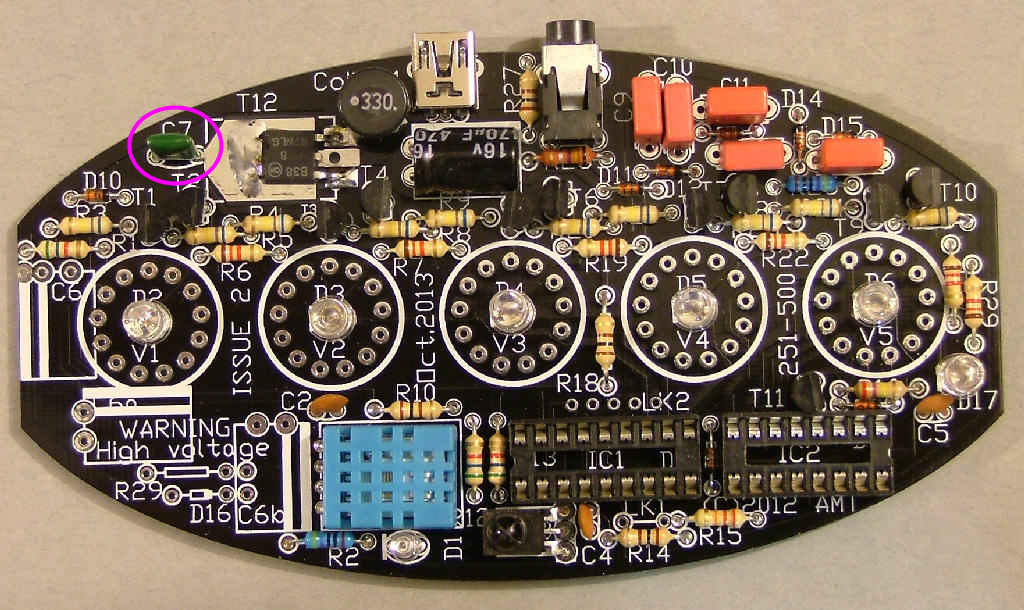
Fit the green resin 4n7 capacitor in the location marked for C7 as shown:

Image

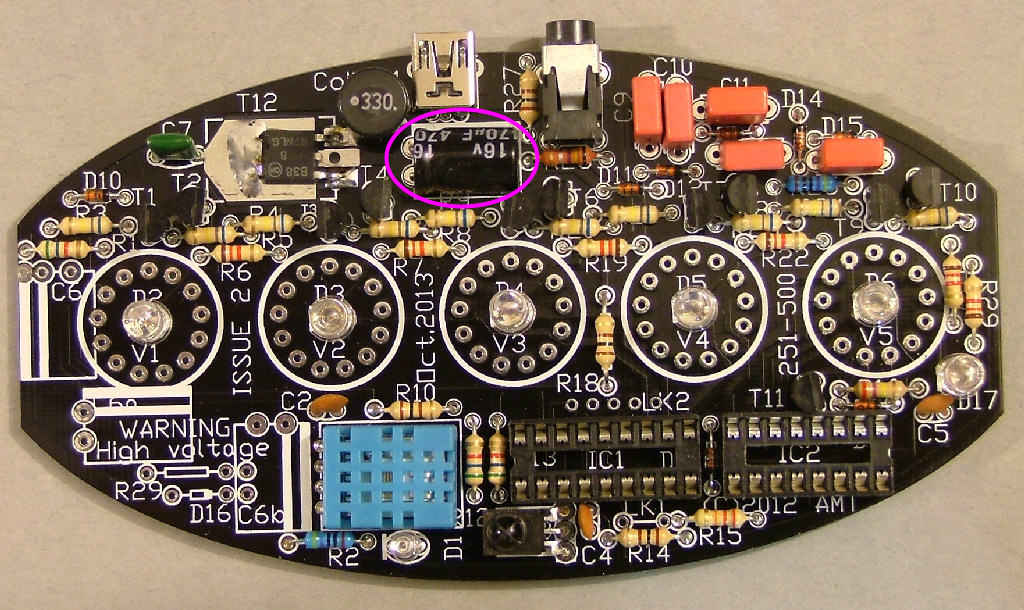
Fit the blue, green or black aluminium can 470u or 330u 10V capacitor in the location marked for C8 as shown: NOTE this is polarised, the negative terminal is marked with a white band. This faces towards the BACK of the PCB when viewed as shown.

Image

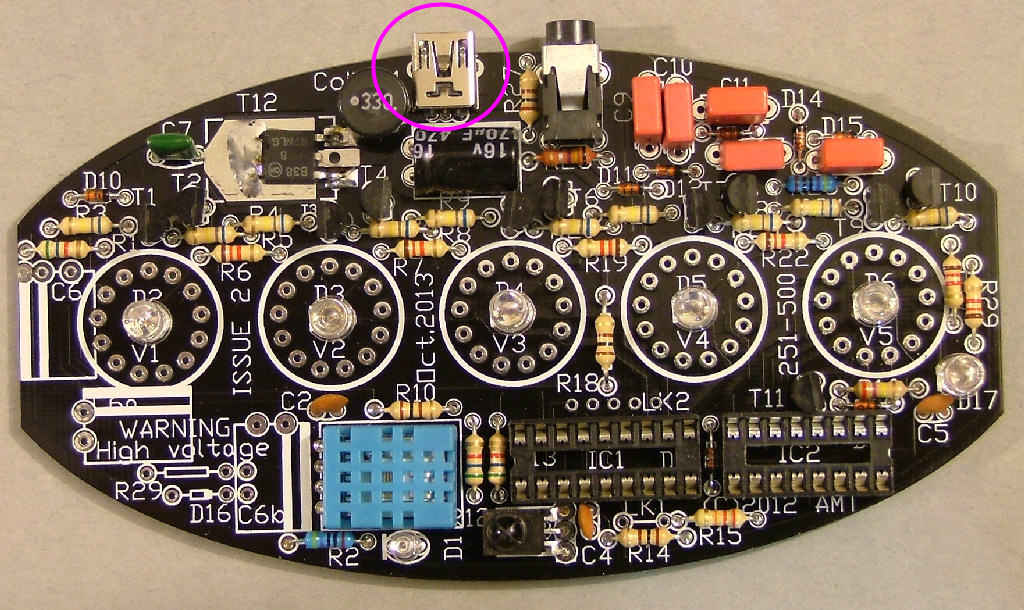
Carefully fit the USB socket, it may be a little tight but don't push too much or you may damage the pins.

Image

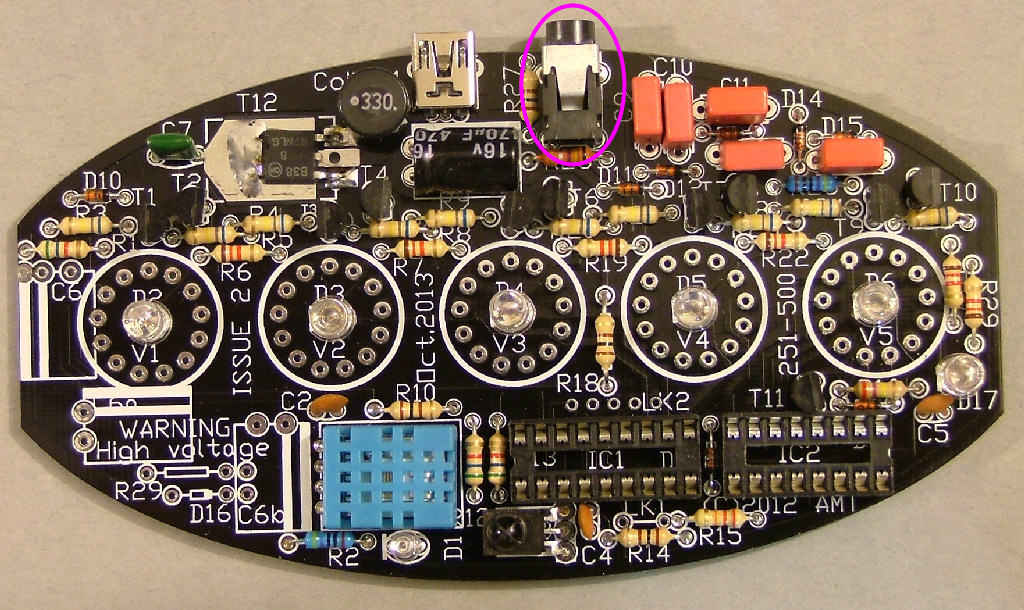
Fit the 3.5mm jack socket marked SK2:

Image

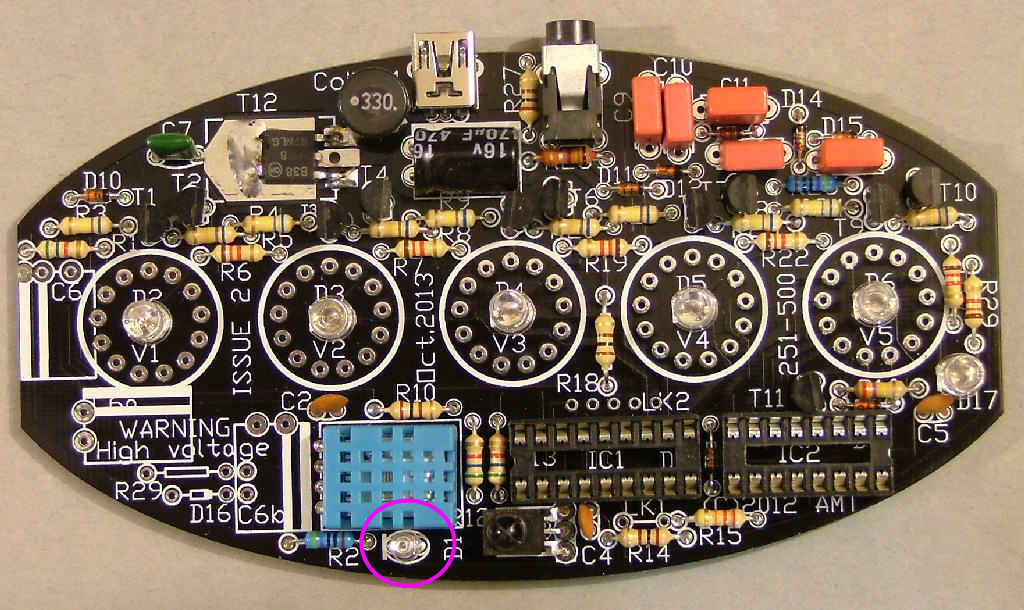
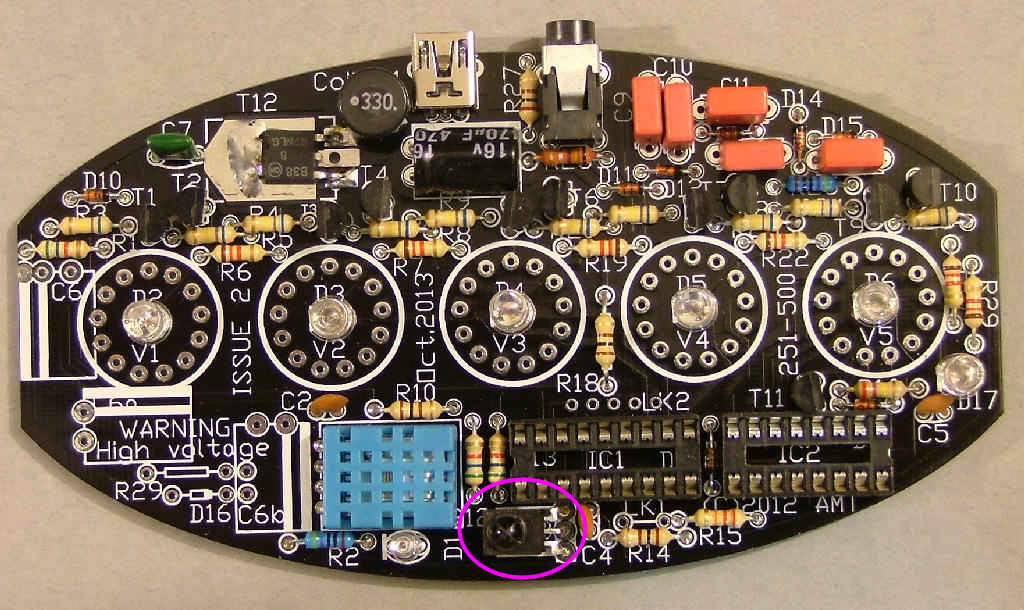
Fit the 3mm IR LED in the space marked D1 as shown, leaving enough lead length for it to sit over the square marked 'IC4', pointing slightly to the right. NOTE this is polarised and must be fitted the right way round. The short lead faces R2.
Lleave about 5mm of lead under the LED to allow the angle to be adjusted:
Cut a short piece of heatshrink sleeving (about 12mm) to cover the LED and prevent light from the sides of it being picked up by the sensor.

Image

Fit the IC sockets SK3 and 4 as shown, making sure the notches face D8 as marked on the PCB:

Image

Fit IC3 as shown (the domed black plastic or silver metal 3 legged block), bending it to face slightly to the left of horizontal. The exact angle may need to be adjusted later for best sensor response.

Image

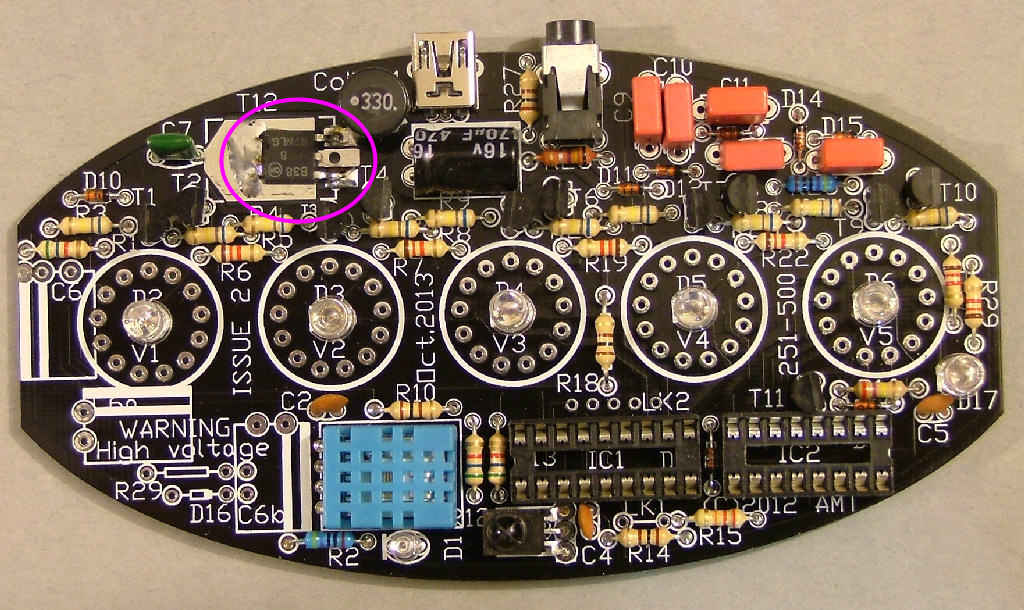
Fit T12 (the square black plastic 3 legged part), bending the end 3mm of its legs down 90 degrees to fit in the holes. Make sure it lies flat on the PCB and solder the tab on the top first, then the three legs. Some kits may be supplied with a surface mounted version only having 2 legs - don't worry as the tab provides the third connection.
DON'T FORGET TO SOLDER THE TAB! it acts as a heatsink connection to the PCB and the 2-legged transistors use it as a third termina.

Image

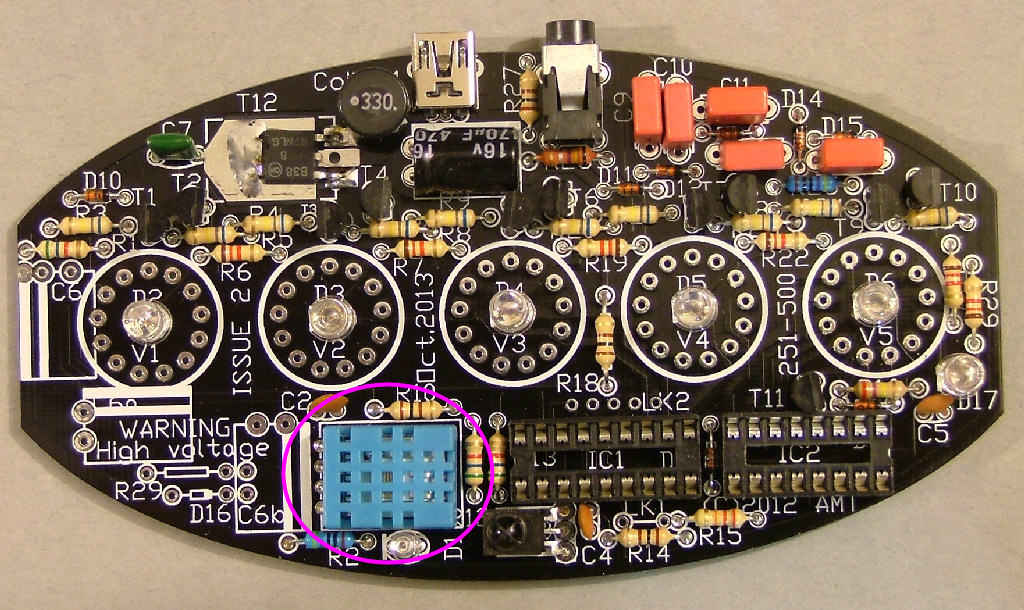
Fit X1 (DHT11, the blue plastic box) with the silver label facing the PCB as shown.

Image

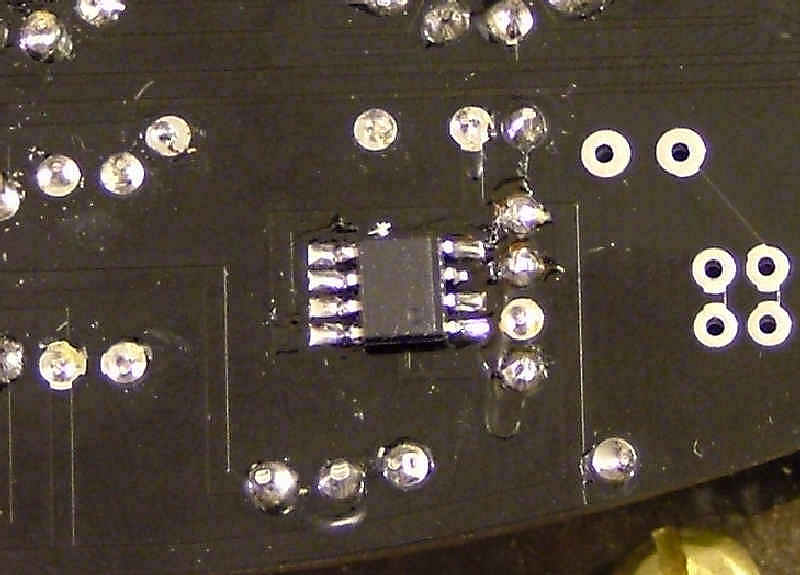
Now a tricky part - the surface mounted IC4 (small 8 legged black resin square). Only 7 of the pins are soldered and make sure the dimple in one corner faces the bottom right of the PCB as shown. The latest batch of ICs have a bevelled edge to indicate the side with pin 1, with that edge facing you pin 1 is the front leftmost:
NOTE that kits from January 2026 are no longer supplied with this and depend on an external DHT22 sensor for precision, removing all concerns over self-heating.

Image

Almost time for the first live test - fit IC1 and IC2 into their sockets as shown:

Image

Now carefully inspect the board for solder bridges, dry joints and long leads which may have shorted. Check all the components are in the correct places again.....
Now connect a multimeter on a mA range to the holes on either end of the space marked for R28. Connect the USB power supply and switch on, watching the meter. If everything is working the current should be below 30mA and one blue LED will light up - if not switch off quickly and recheck everything.
If it's working after a few seconds more LEDs will light up in different patterns, Waving your hand slowly over the IR LED should cause the patterns to change as different display modes are selected. That's the main part of the PCB built, now the nixies need to be fitted.
A tip to make this a little easier: Starting from the anode wire which is left at full length, cut each wire a little shorter than the last in a spiral pattern. When you feed the wires through the PCB holes this will allow you to position one at a time, rather than trying to feed all 13 through at the same time.

Take the 2x nixies (1x IN-19A and 1x IN-19b) out of their packing and straighten the wires, spreading them out slightly to match the diameter of the socket. If any are uneven or slightly longer than the others you can trim them a little to match - but not too much. They're already cut to approximately the right length before being packed.
Note the white ceramic paint on one of the wires inside the tube, at the back. This is the anode and must face directly to the back of the PCB when fitted. Ignore the short wire stub at the front, it's a second anode which isn't counted as a real pin and can be removed if preferred.
Take the IN-19b nixie tube from the pack of 2:
Starting with that anode wire, fit it into the topmost hole of the socket in the V5 position, follwed by one wire in sequence into each hole. Make sure the white-topped anode lead is still in the correct place, it's easy to slip one place whilst fighting (or fitting) it in. Push it down carefully into the socket pins until it sits on top of the LED - this acts as a spacer holding it above the PCB in the correct place:
Now repeat this with the nixie marked IN-19A, in the V4 socket.
Take the 3x IN-14 nixies out of their packing and straighten the wires as before. Fit one into the socket for V3, followed by V2 and V1. You should now have 3 numerical tubes on the left followed by the IN-19A and with the IN-19b on the right.
Once you're certain they're in the right places and are vertically aligned you may wish to solder 2-3 of the wires into the socket pins to prevent them being dislodged if bumped though in everyday use they will stay in the sockets as the 13 wires combined have quite a tight hold.

Image

Nearly time for another power test: Fit the 33uH coil (copper wire spool) into the position marked Coil L1.
This is probably a good time to mention from this point, DO NOT TOUCH the board whilst powered, it's generating 180V+. It's at a low current it will still bite and could be dangerous in the wrong circumstances (Note the wrong circumstances are probably when you'll touch it).
Connect the mA meter to the holes on either end of the space marked for R28. Connect the USB power supply and switch on, watching the meter. This time if everything is working the current should be between 300-350mA and one blue LED and one nixie will light up - if not switch off quickly and recheck everything, mostly around T12,C6 and the resistors/transistors behind the nixies.
If everything went OK, after a few seconds 4 of the nixies should light up, followed by a changing display pattern every few seconds. Now finally fit R28 and let it run for a while before building it into the case.
***R28 is a polyfuse (mustard disc marked f030, may look like a capacitor)

โ† Case assembly
โ†‘ Back to Nixie Thermometers
Read me first - kit contents โ†’